
HELP page
NEW: ChatPGT and PERIFACT have become friends! Ask ChatGPT! If you still can't figure it out feel free to send an email.

Here you see pages that are also directly callable from within the program.
Help PONTO
Ponto — automatically import bank transactions What is Ponto? Ponto is a service that allows PERIFACT to automatically retrieve your bank transactions directly from your bank. You no longer need to manually download or upload bank statements: as soon as you click on the…
Help SERVICES and GOODS
✔ Is it a delivery or a service? When creating an invoice line in PERIFACT, you can check the “Is service” box. This helps PERIFACT to process VAT correctly, especially for international invoices within the EU. But when do you select what?....
Help PEPPOL
Activate PEPPOL in PERIFACT FOR THE BELGIAN MARKET: With PEPPOL, you can send invoices directly and securely to your customers via an internationally recognized network. The advantage of this is that your invoices no longer need to be sent via email, but...
Input precision
Input precision in PERIFACT is adjustable between 2 and 4 decimal places, with 4 being the default value. Internally, 4 decimal places are always calculated, and in some places even 19 decimal places for maximum accuracy. Some users prefer...
Outlook setup
2 versions Outlook may have had 2 versions circulating on the same computer for several months. That is already strange, but that is a choice of Microsoft. Excel and Word you don't have 2 versions of those either, you update it and the old one disappears.... There is now an Outlook...
Database-locked notification
Problem PERIFACT gives an error message “Cannot open database (locked)”. Possible causes Database file is locked: This can happen due to another installed tool or an external program such as a virus scanner. External virus scanner conflict:...
Help document rule
Help contact locations
In PERIFACT, the administration of multiple addresses is possible. For example, consider a delivery address. When creating an invoice, the desired address can be selected in the invoice screen under the [Address Selection] tab. Go to main menu CONTACT - CHANGE By default, the...

Help discounts
DISCOUNTS In PERIFACT there are 4 ways to give discounts: On the total amount Percentage discount at line level By entering numbers negative Or adding a discount line Below we will briefly explain them: Discount on total amount At the...

Help WooCommerce
General details and installation instructions Want to easily and quickly link to your WordPress-WooCommerce website. Then you've come to the right place with PERIFACT! These are the features All WooCommerce contacts are now added to PERIFACT All...
Help invoice construction
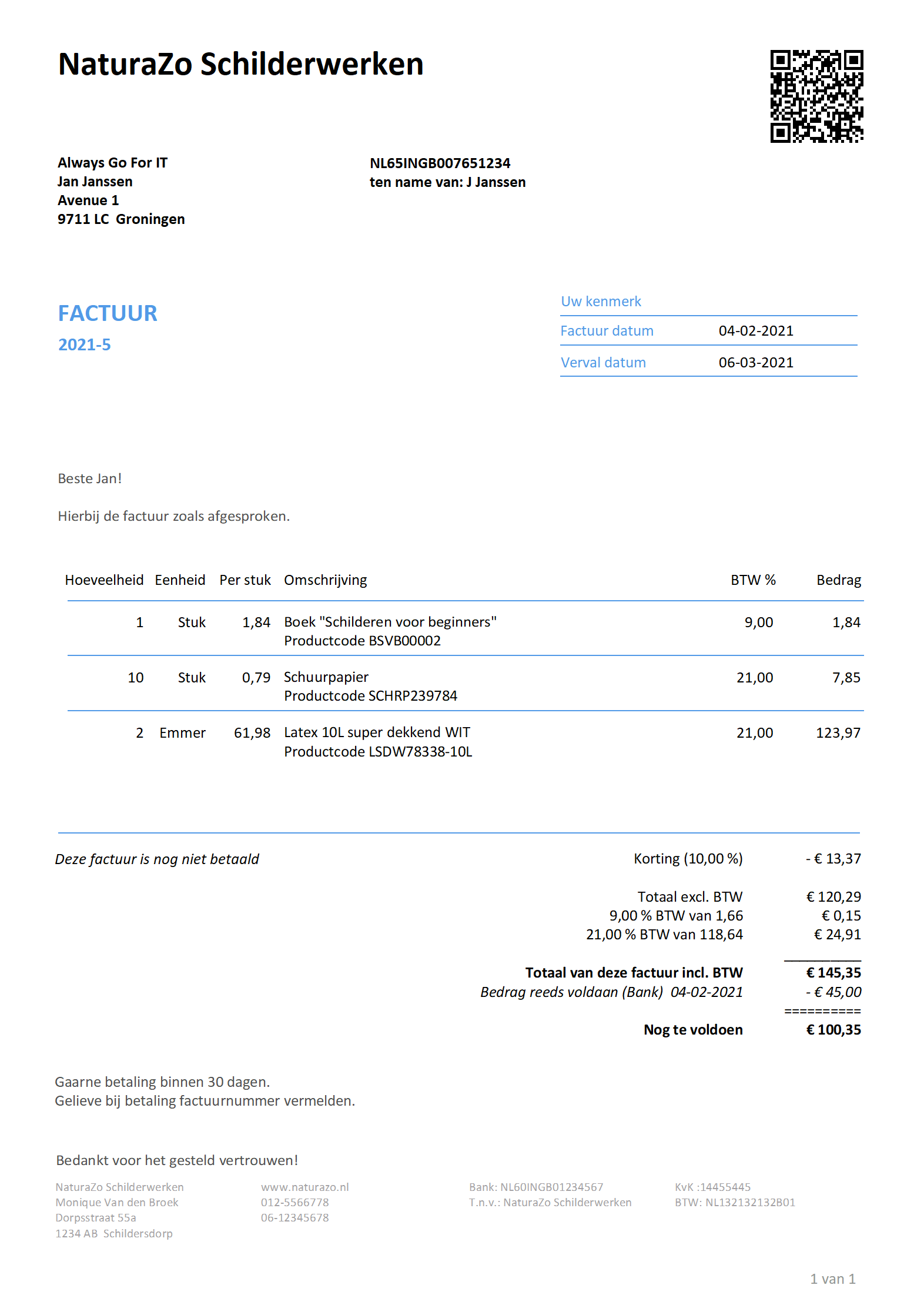
INVOICE LAYOUT UPDATED Below is the invoice layout. Hover over the question mark and you will receive all the information. CONTACT “For the attention of” field. See main menu CONTACTS - CHANGE, [Invoice Fields] tab CONTACT “Detail” field. See main menu...

Help layout settings
HELP -Settings LAYOUTS Within PERIFACT you can customize the house style of your invoice. Via main menu SETTINGS - LAYOUTS. One of the steps is the screen below: We are going to highlight a few points: USE ANOTHER LETTER TYPE: By itself, this is obvious. Let...
Help MOLLIE
General details and installation instructions Want to get your invoices paid easily and quickly? Then use payment links! When you send an invoice in PERIFACT via email, a payment link comes along with the invoice. If your customer clicks on the link...

How does PERIFACT-XL work in a network
READ ATTENTION AND PEACEFULLY Manual: PERIFACT-XL in a Network Environment 1. Introduction Do you use PERIFACT only on one computer? Then the SA (Stand Alone) version is ideal. Do you work with multiple users on the same invoices? Then the XL version is the right choice. 2....
Help import
There are 2 types of files that can be read in through the IMPORT function, namely EXCEL or CSV files. The recommendation is for EXCEL files because here a better control is possible of what and how everything is brought in. Click on the button for more...
Help expenses
Cost center: A cost center is used in accounting to group or refine a particular cost type. These are categories created by you. A cost center is not mandatory. But it makes it easy for you to later identify the various expenses...
Help own layouts
PERIFACT has the convenient ability to customize layouts yourself. It is a powerful tool with many possibilities. Advice: READ THIS ARTICLE RIGHTLY AND ATTENTION. And make adjustments in small steps. And see if the result is satisfactory The start The...
Help network authorization
You can work with PERIFACT in a so-called multi-user environment. This means that several people can work on the same data at the same time. Your license code for working with multiple people simultaneously on the data (read: database) must be...
PERIFACT network scan
Search server on the network If you want to work on the same data with several PERIFACT users, this is of course possible. There is always 1 computer ‘in charge’ of the data, so this main computer must also be on if you are working on computer 2, computer...
Making an invoice
CREATING AN INVOICE - HOW DO WE GET STARTED? You can start creating an invoice in 3 ways: From the CUSTOMER input screen From the main menu FACTORS You double click on a name in the main screen MANUAL or SELECT FROM LIST Below you see a screen with the demo...
Welcome
Here are some helpful tips, which make using PERIFACT even easier How do I start? To create an invoice in PERIFACT, it is important to keep in mind that the customer is the basis. So if you want to write an invoice for someone who has not yet...